Breakdown Maintenance Management

Respond faster to
equipment failures.

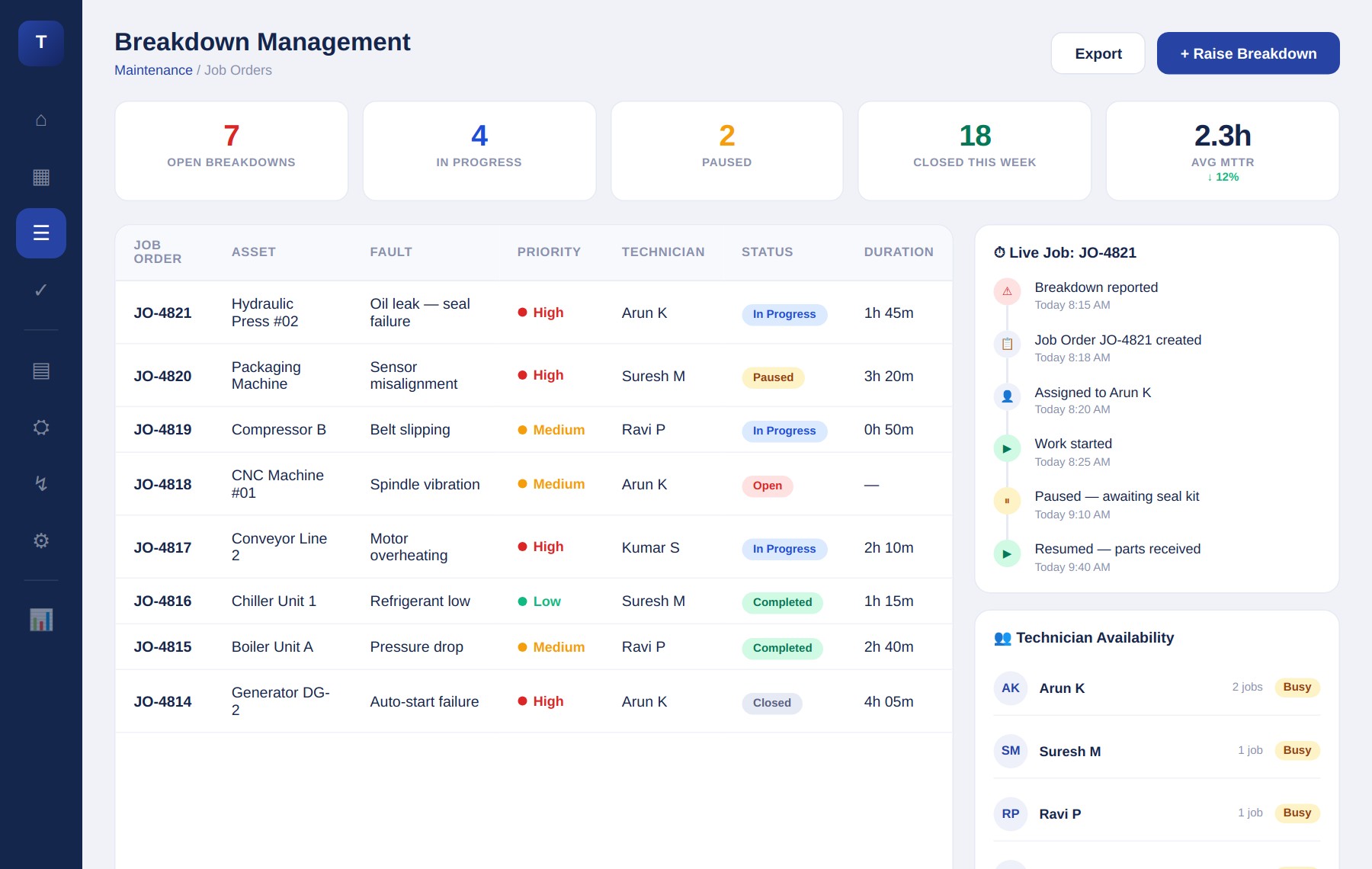
When equipment fails, every minute counts. TorqHub's breakdown management system covers the complete lifecycle — from Operator reporting a fault → Breakdown Ticket creation → Technician Assignment → Repair Execution → Closure & Analysis. With instant mobile reporting, real-time tech alerts, root cause analysis, and photo documentation.

2.3h
Avg MTTR
3x
Faster response
↓ 8%
MTTR improvement
torqhub.co/maintenance/breakdowns
TorqHub Breakdown Management — job orders, live timeline, technician availability
Faster Response Time
Reduced Downtime
Data-Driven Decisions
Key Capabilities

What you can do with Breakdown Maintenance Management

Instant Mobile Reporting

Operators raise breakdowns from any device with fault description, priority, photo attachment — in under 30 seconds.

Real-time Tech Alerts

Maintenance managers and technicians get instant notifications the moment a breakdown is reported.

Root Cause Analysis

Record root cause of failure, corrective action taken, and spare parts used. Trend recurring issues automatically.

Spare Parts Tracking

Every spare consumed during repair is logged and linked to the asset and work order for full cost tracking.

Asset Repair History

Complete repair history per asset — every breakdown, every technician, every part used, every minute spent.

Photo Documentation

Technicians capture before/after photos of repairs, attach to work orders for visual audit trail.

Deep Dive

The 8-stage breakdown lifecycle

Every breakdown in TorqHub follows a structured lifecycle ensuring complete traceability from first report to final review.

Try It Free
1. Breakdown Reported — operator raises request with fault description and photo
2. Job Order Created — manager converts to formal job order with reference number
3. Technician Assigned — skill-matched assignment with availability check
4. Work in Progress — real-time status tracking with time logging
5. Pause / Resume — for part procurement, shift end, or reassignment
6. Technician Reassignment — if needed, with full history logged
7. Work Completed — resolution notes, root cause, and spare parts recorded
8. Closure & Review — manager closes; downtime and MTTR auto-calculated
Explore More

Connected Modules

Ready to Digitize Your
Maintenance Operations?

Implement a Smart CMMS Platform to gain complete control over assets and maximize equipment performance.

Complete Asset Visibility Preventive Maintenance Automation Live Performance KPIs